Can a simple schedule change turn scattered hours into your most valuable thinking time?
Attention is the core problem in modern knowledge work. Distractions fragment thinking, so the best ideas rarely get protected during the day.
This guide shows how to build a practical deep work environment—physical, digital, and calendar-level—so focused sessions become a default pattern rather than a rare event. It uses well-cited research and real constraints like meetings, email, and chat tools.
Readers will learn a clear strategy: tell deep work from shallow tasks, audit current hours, redesign the space, schedule protected blocks, create rituals, cut distractions, and track progress. The goal is steady, sustainable gains in productivity and value without burnout.
They should implement one change at a time, measure gains in focus, and iterate weekly to grow their ability to learn hard things and produce meaningful outputs.
What “Deep Work” Means in Today’s Work Day
In modern schedules, concentrated cognitive effort is the engine behind meaningful progress.
Cal Newport defines deep work as “professional activity performed in a state of distraction-free concentration that pushes your cognitive capabilities to their limit.”
“These efforts create new value, improve your skill, and are hard to replicate.”
Translate that into observable behaviors: one task, one clear goal, minimal tool switching, and protected time. At a desk this looks like a closed inbox, muted chat, a single document open, and a defined stopping point.
- Examples by role: drafting a strategy memo, designing a data model, debugging a complex bug.
- Outputs that signal success: a meaningful draft, a solved problem, or a shipped feature.
- Why it matters: focused sessions build rare skills and lasting value that raise quality and long-term success.
Note: This ability is a trainable skill and a repeatable system, not a fixed personality trait. The rest of the guide shows how to build it into a typical work day.
Deep Work vs Shallow Work: A Clear Line Between High-Impact and Busywork
Teams must learn to separate high-value thinking from routine logistics to protect the hours that create impact.
What counts as high-impact effort and what is busywork? Use clear labels that guide scheduling and behavior.
Practical examples to label tasks
High-impact tasks (hard cognitive effort): writing strategy, coding a core feature, data analysis, and strategic planning.
Shallow tasks (coordination and admin): email triage, status updates, scheduling, routine approvals, and quick meetings.
Why “work about work” expands and what to do
Asana research shows roughly 60% of knowledge workers’ time goes to coordination like emails, scheduling, and project management.
This coordination isn’t bad, but it can crowd out focused hours if left unmanaged. A simple test helps: If a task can be done while distracted, it probably belongs in shallow hours.
- Create a crisp rule: reserve high-impact blocks for tasks that generate outputs that matter.
- Batch shallow tasks into fixed windows to stop them from bleeding across the day.
- Teams that contain busywork gain a competitive edge by producing higher-impact results in the same work hours.
Why Focus Breaks Down: Attention Residue, Context Switching, and Social Media
Small interruptions accumulate; the hidden cost is not just minutes lost but lowered quality on what remains.
Attention residue explains why. When someone checks a message mid-task, part of their mind keeps processing it. That leftover thinking drags on concentration and reduces output.
How interruptions steal momentum
Research shows it can take upwards of 20 minutes to regain full concentration after an interruption. Those lost minutes multiply when checks repeat through the day.
Common focus killers
- Inbox checking and open tabs that invite switching.
- Chat pings and phone notifications that pull attention away.
- Social media micro-breaks that turn into long detours.
Make offline the default
Offline as the default means using the internet only when scheduled or needed for a task. This rule reduces friction and removes temptation.
Example 90-minute policy: phone out of reach, inbox closed, chat muted, only pre-approved research tabs open, and a parking-lot note for intrusive thoughts.
Set Expectations for Deep Work Hours per Day Without Burning Out
Designing a daily rhythm that respects human attention makes steady progress possible without exhaustion. A realistic plan accepts limits and protects recovery as part of the schedule.
How many hours are realistic? For most roles, a practical target is 1–4 deep work hours per day. Experience, sleep quality, and job demands determine where someone lands in that range.
Why hours top out
The brain has finite high-focus energy. After intense spans, quality and creativity fall off. Pushing beyond the cap reduces returns and raises burnout risk.
A simple decision rule
Start with 60–90 minutes per day in one block. When that becomes consistent for a week, add 15–30 minutes per week until reaching a sustainable cap.
Use the rest of the day well
Batch shallow work—email, approvals, scheduling—into fixed windows so it does not leak into focus blocks. This two-mode day puts the best energy hours toward concentrated tasks and reserves later hours for coordination.
- Target range: 1–4 hours per day.
- Initial block: 60–90 minutes, then expand slowly.
- Two-mode model: focused morning blocks, shallow afternoons.
Downtime and clean stopping points are not rewards; they are part of the system that sustains high-quality work over weeks and months.
Audit the Current Day Before Redesigning It
A practical audit reveals which hours fuel progress and which minutes quietly drain momentum.
Start small: track one day or three consecutive days to compare calendar expectations with reality.
Quick time audit: where minutes actually go
Use a simple spreadsheet or notes app to log every block during work hours. Record the calendar entry, the actual activity, and quick notes about interruptions or app switching.
At day end, total the minutes spent in each category to see hidden losses like tab switching or quick checks.
Meeting audit: agenda, outcomes, and async alternatives
For every meeting, confirm an agenda and an owner before the session. After the meeting, rate its value and note clear outcomes.
Replace status-only meetings with async updates when possible—routine progress checks, informational announcements, and simple approvals often work better written.
Task depth labeling: decide what deserves protected time
Tag each block as deep, shallow, or recovery/transition. Decide a task’s priority by its cognitive demand, uniqueness, and impact on goals.
- Deep: high-focus tasks that move strategy forward.
- Shallow: coordination, email, and routine admin.
- Recovery: short breaks, buffers between blocks.
Tools: pick a lightweight tool—spreadsheet, timer, or simple time-tracker—that does not interrupt focus. Use the audit to guide weekly changes and test one scheduling strategy at a time.
For a practical framework on redesigning daily routines, see this redesigning your day resource.
Designing a deep work environment: The Physical Setup That Protects Attention
A consistent physical setup acts like a mental switch, making it faster to enter focused mode and start productive sessions.
Location choices and tradeoffs
Choose a place that can repeat every day. A home office gives control but risks household distractions. A private room offers the best boundaries. A library adds silence plus a social contract to stay on task.
Noise and boundary signals
Use clear cues to reduce interruptions. A closed door, calendar set to busy, and noise-canceling headphones act as visible and audible “do not disturb” signals.
Workspace rules and clutter
Keep one primary screen, limit open tabs, and place the phone out of reach. Visual clutter raises cognitive load and invites small interruptions that break attention.
Requirements checklist
- Files and documents opened; offline copies downloaded.
- Chargers, water, and light snacks ready.
- Necessary tools and software logged in and tested.
- Timer set and calendar blocked to protect the session.
Practical rule: the best setup is repeatable, not perfect. Consistency trains the brain to enter focused mode faster and keeps distractions smaller over time.
Build a Scheduling Strategy Using Deep Work Philosophies
Choosing a scheduling philosophy shapes how someone protects long stretches of focused effort and measures progress. A clear approach helps align calendar norms with role constraints and team expectations.
Monastic
Definition: full immersion blocks or multi-day stretches with minimal interruptions.
Pros: reduces context switching and maximizes output per session.
Cons: often unrealistic for roles that require responsiveness or frequent collaboration. Examples: Neal Stephenson limits accessibility; Bill Gates’ “think week” is a scaled version for executives.
Bimodal
Definition: split the week or season into focused and collaborative periods.
- Options: a weekly no-meeting day, a monthly offsite, or project sprints that reserve full days for concentrated effort.
- Benefits: preserves large chunks of hours without forcing constant isolation.
Rhythmic
Definition: the same protected block each day, such as morning focus from 9–11.
This method is the most implementable for many teams. It builds automaticity, trains stamina, and fits stable calendars.
Journalistic
Definition: seize 60–90 minute gaps between meetings for focused tasks.
It suits variable schedules but is hard for beginners. Without rituals and a fast ramp method, progress fragments and starts stall.
Selection tip: pick one philosophy for four weeks, track protected hours and outputs, then adjust. The right choice makes completing an important task faster and of higher quality by reducing daily fragmentation.
Time Blocking a Work Day That Separates Deep Work From Shallow Work
Time-blocking makes the calendar an instrument for shaping concentration, not a record of interruptions. Treat the calendar as a design tool: assign fixed segments for high-focus sessions and separate windows for routine tasks so the day does not get run by reactive inputs.
Protect a morning focus block
Reserve the first 60–120 minutes for uninterrupted focused sessions. Mornings tend to have fewer interruptions and higher mental energy, so this block should host the most demanding cognitive work.
Tip: Mark the calendar busy, put the phone away, and close nonessential tabs.
Timebox important tasks
Use strict timeboxes: set a start, define the deliverable, and stop when the timer ends. Parkinson’s Law means a shorter deadline prevents a task from expanding indefinitely.
Rule: write one deliverable for the block and leave a parking-lot note for unresolved items.
Sample schedule templates
- Meeting-heavy role: 9:00–9:45 focus block, 10:00–12:00 meetings, 12:00–1:00 shallow tasks (email/approvals), 1:15–2:00 collaboration, 2:15–3:00 short focus, then batching shallow tasks in the afternoon.
- Maker-style role: 8:30–10:30 long focus block, 10:45–11:15 buffer, 11:15–12:00 shallow tasks, 1:00–3:30 second deep block, then wrap-up shallow hours.
Include 10–15 minute transition buffers between blocks to reduce attention residue and avoid schedule collapse. Batch email, approvals, and status updates into two fixed windows so they do not scatter across the day.
Separation matters: focused sessions and routine tasks need different rules, places, and energy management to be effective.
Create a Repeatable Deep Work Ritual That Makes Focus Automatic
A clear pre-session routine removes small decisions and primes the mind for sustained concentration. It turns starting into a habit rather than a choice.
Duration ramp: begin with a 30–60 minute block and add 15 minutes per week until reaching the target time. Short starts build stamina without burning out energy.
Structure and explicit rules
Define one consistent place and a short checklist: phone stored away, inbox closed, chat muted, and internet allowed only for pre-approved research. A timer and a single deliverable focus reduce ambiguity.
Planned breaks and measurable success
- Take brief movement breaks—no social apps or inbox checks.
- Measure by output: words written, code shipped, tickets resolved, or analysis completed.
- After each session, note one blocker, one win, and one change for tomorrow.
Rituals reduce friction: a repeatable routine makes concentration more automatic and raises the quality of time spent on real work.
Use “Grand Gestures” When an Important Task Needs a Breakthrough
When a single deliverable matters more than usual, a focused change of scene can shift momentum fast. Grand gestures are occasional, intentional interventions that raise psychological stakes and make it easier to protect time for an important task.
Practical, budget-friendly examples
- One day at a quiet library to draft a proposal or strategy memo.
- Booking a private room for a focused afternoon to complete a key section.
- Low-cost local offsite with a clear agenda and one deliverable.
Workplace-appropriate options
- Negotiate a “no meetings” day to finish an important task.
- Ask to work from home for a short stretch to isolate for a high-value deliverable.
- Arrange a paired session with a colleague to solve a complex problem quickly.
Why the method helps
Novelty and investment increase follow-through. A change of scene or small monetary cost signals seriousness and reduces casual interruptions. That psychological nudge makes protecting focus easier.
Grand gestures are tools to jump-start progress, not replacements for steady rituals and scheduling.
Quick planning checklist
- Define the output and accept one measurable goal.
- Choose a location that minimizes interruptions.
- Remove communication tools or set clear availability rules.
- Pre-load materials and set a hard end time to limit scope.
Tip: Pair a grand gesture with a repeatable ritual and a time-blocking strategy so the boost translates into lasting value toward goals.
Collaborate Without Destroying Focus
Clear calendar boundaries let groups solve hard problems without sacrificing individual concentration. Teams should treat collaboration as scheduled, not ad-hoc, so solo focus blocks remain reliable and predictable.
Separating collaboration windows from solo focus blocks
Make separation an operating principle: schedule collaboration windows and protect solo focus times as non-negotiable. This reduces context switching and lowers attention loss across the team.
- Example windows: a daily 30-minute sync, two weekly office hours, and a late-afternoon response hour for quick questions.
- Batch routine requests into shared queues to avoid ping-based interruptions.
- Label calendar blocks clearly so everyone knows when interruptions are allowed.
Structured pairing to solve hard problems faster
Collaborative pairing is most effective when it is bounded: 60–90 minute sessions, one shared problem, clear roles (driver/navigator), and a written outcome at the end.
This focused approach makes collaborative time higher impact and shorter.
Why open-floor “always available” norms hurt attention
Open-floor availability increases distractions and fragments attention. Frequent interruptions make complex tasks take longer and lower quality.
- Use shared calendar labels for a “no interruptions” mode.
- Adopt chat status rules and an escalation path for true emergencies.
- Pick simple tools for async updates so meetings drop only when they add clear value.
Fewer interruptions speed problem solving without reducing necessary teamwork.
Reduce Digital Distractions With Rules That Don’t Rely on Willpower
Simple, consistent rules around notifications and browsing turn devices into allies, not enemies. Treat digital control as environmental design: set defaults that hold when energy is low.
- Enable Do Not Disturb for focus blocks and disable banner alerts.
- Mute nonessential chat channels and remove email from the taskbar or dock.
- Use an away message or shared calendar label to set response expectations.
Schedule internet use in advance
Plan research windows and avoid casual browsing outside those times. Pre-open required sources so time online is task-focused, not exploratory.
Use blockers and allowlists for research mode
Install tools such as Freedom or SelfControl and create allowlists (Google Scholar, JSTOR, necessary docs). Block social media and news during focus periods.
Position these rules as system design, not moral tests: the goal is steady progress and fewer interruptions.
Exceptions and minimalism: define emergencies, route urgent requests to a single channel, and reduce app count to lower switching costs.
Email and Meetings: Contain the Two Biggest Sources of Shallow Work
Unbounded inboxes and meeting-heavy calendars act like a slow leak on individual focus and team output. They turn into endless inputs that expand to fill available time and fragment productive hours.
Batch email into set windows instead of living in the inbox
Schedule two or three email windows per day and close the inbox outside those windows. Each window should be timeboxed (20–45 minutes) and tied to a goal: triage, respond, and convert action items into a task system.
Use templates for common replies and reply with clear next steps so the inbox does not become a second to-do list.
Replace low-value meetings with written updates and clearer owners
Require an agenda and a named owner for every meeting. Define decisions needed in advance and end sessions early when outcomes are reached.
Wherever possible, swap routine meetings for async status posts, decision memos, or weekly summaries. This preserves collaboration while freeing protected hours for higher-impact tasks and strategy.
Contain coordination so shallow work no longer expands into the hours that matter most.
Train the Ability to Concentrate Like a Skill
Concentration can be trained like a muscle: small, repeatable drills boost the ability to sustain a single thread of thought and improve daily productivity.
Productive meditation for problem solving
Pick one concrete problem and a clear goal. During a walk, commute, or chore, think through that issue and return attention to it whenever the mind wanders.
After 20–40 minutes, capture insights in a note. This practice trains the mind to hold a single target across low-cognitive time.
Interval training to sharpen intensity
Once per week, halve a usual time block and focus only on the top priority. The shorter window forces prioritization and higher concentration for the allotted minutes.
Keep it challenging but achievable to avoid burnout. Track results and repeat weekly to extend stamina.
Memory drills to build attention control
Use short memory exercises: learn a poem stanza, memorize five foreign words, or practice a small deck-of-cards routine for 10–15 minutes a day.
These exercises strengthen the mind’s ability to resist distraction and improve general focus during longer sessions of deep work.
Regular practice of these methods reduces context switching, saves time, and raises the quality of concentrated effort.
Track Progress With Lead Measures, a Scoreboard, and Accountability
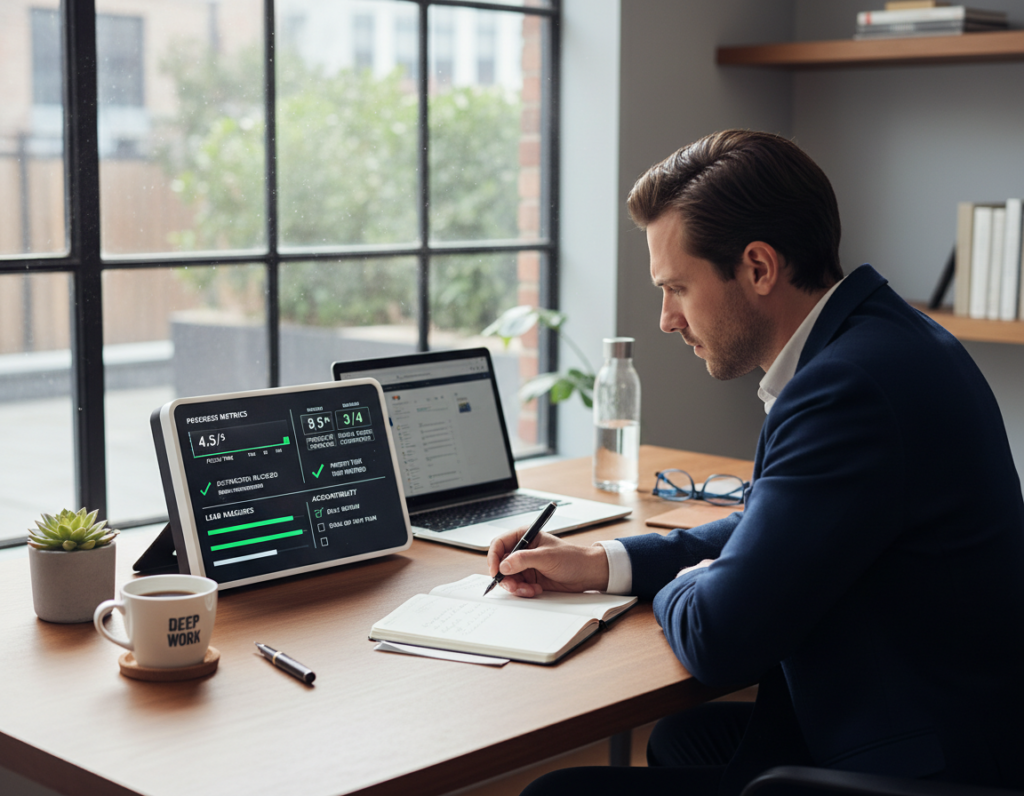
Small, repeatable inputs often predict progress better than chasing headline results. Measuring controllable actions gives teams a clear signal about whether goals are on track.
Lead measures versus lag measures
Lead measures are the hours and habits a person controls. They include protected focus blocks and time spent on priority tasks.
Lag measures are outcomes—projects shipped or metrics published. They matter, but they lag and respond to many factors.
Keep a visible scoreboard
A simple scoreboard makes progress tangible. Options include a wall calendar, a daily notebook tally, or a small dashboard showing hours and streaks.
- Show weekly totals and current streaks.
- Use color or a simple number to keep it compelling.
- Log once after the session, not mid-flow.
Weekly review and accountability
Each week, check totals, note friction (meetings, notifications, unclear goals), and adjust blocks for the next week. Use a short accountability meeting or a written note to keep trust high.
Measure to learn and improve, not to punish—metrics should protect sustainable productivity and healthy limits on hours.
Downtime Is Part of the System, Not a Reward After the Work
Treating downtime as part of the system preserves mental energy and multiplies productive hours. Rest does active cognitive work: it lets the mind reorganize ideas and form connections that elude effortful thinking.
Why rest improves thinking
Stepping away gives the brain space to process complex problems. Short breaks and evening recovery often produce next-day breakthroughs.
This replenishes the ability to concentrate and makes morning focus more efficient than late-night extra hours.
Shutdown ritual template
Simple closing steps:
- Review open tasks and capture clear next actions.
- Check tomorrow’s calendar and set top priorities.
- Close the laptop and declare the session finished.
Boundaries that protect recovery
To avoid the “one more email” trap, remove email from the phone or set Do Not Disturb after a firm cutoff time.
They should define a communication window and route urgent items to a single channel.
Practical downtime examples
Walking, cooking, reading, time with family, or device-free hobbies all support recovery and improve focus the next day.
Consistent recovery is the foundation of sustained performance; it protects attention and builds lasting ability.
Conclusion
The practical path forward is not heroic effort but a few regular changes that protect concentrated time and raise output.
Summarize the core system: label deep work versus shallow work, audit current time use, redesign the physical and digital environment, and schedule protected blocks each day.
Set a realistic target: aim for consistent focus hours that grow slowly. Most people sustain 1–4 focused hours per day when built gradually.
High-leverage tactics: offline-by-default focus blocks, strict time blocking, a short pre-session ritual, and firm boundaries around email and meetings.
Start small this week: block one 60–90 minute morning session, measure what was produced, then adjust.
Seven-day plan: audit Monday, schedule blocks Tuesday, refine setup Wednesday, cut distractions Thursday, test a grand gesture Friday, review Saturday, and reset Sunday for the next week.
Protecting focus is not about doing more busywork; it is about producing higher-quality outputs that hold lasting value. The best strategy is the one a person can sustain week after week without burning out.